
Models & Pricing
The :free suffix, pricing, and why models disappear.
The Models page lists context window, per-token prices, endpoints and capabilities. Each model page has code examples. Not all free models support tool calls or vision, so check the capability badges.
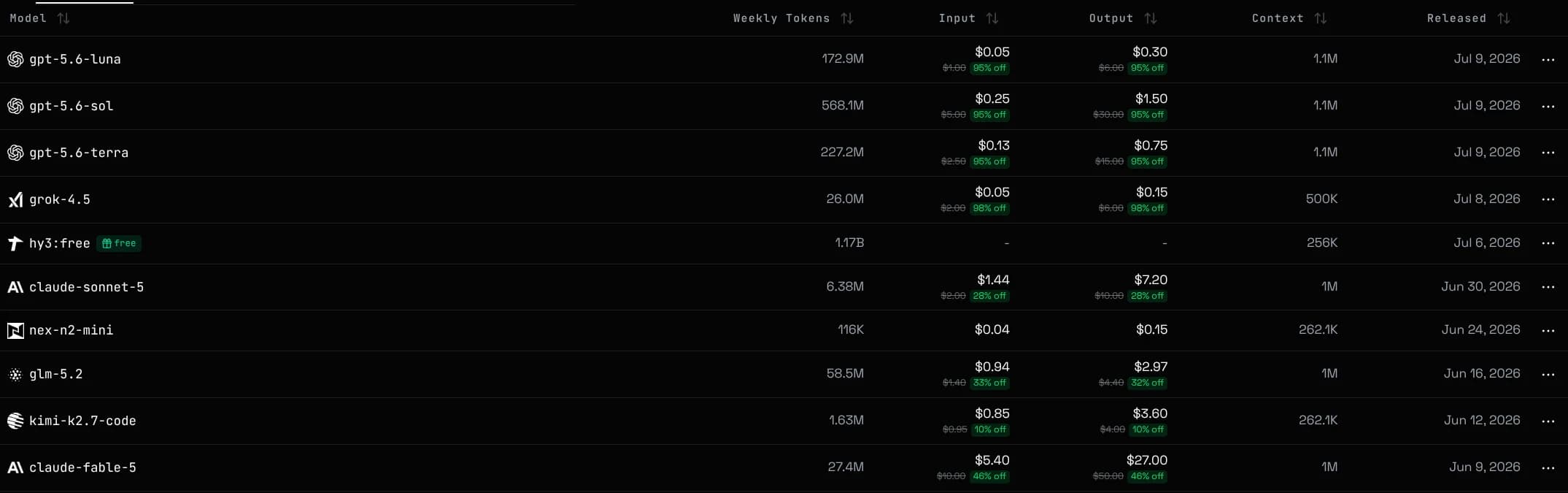
Rankings shows which free models perform, from community tests. Status tracks provider health.
New here? Getting a key and sending a first request takes a minute in Quickstart
Free models carry a :free suffix, for example gpt-oss-120b:free
A :free model routes only to free providers and never uses your balance. The same name without the suffix is the paid version: uncapped, billed per token. Switching is a one-string change.
Free models have two limits: the provider's own cap, and our per-user per-model cap. Expect 429 at peak times. Use a paid model when you need reliability.
The exact caps, headers and retry guidance are documented in Rate Limits & Errors
Models route across provider groups, each priced separately and listed in Group Pricing. High availability earns automatic discounts. A failover can change the effective price.
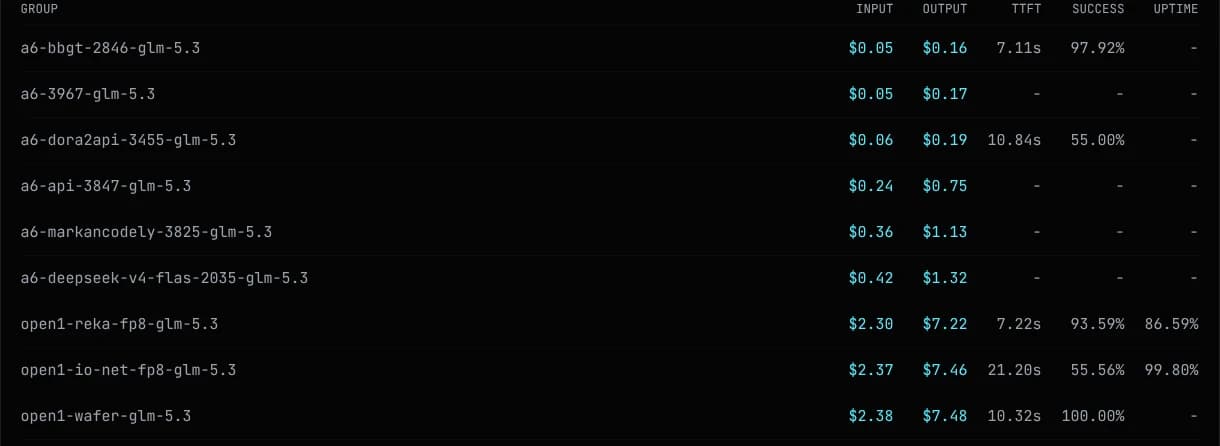
To lock a model to specific groups and their rates, see Group Pinning
Most models bill per token, input and output priced separately. Image and video usually bill flat per call. The model page price is what you pay.
The Pricing page lists top-up options. Model pages show live per-token prices.
On models that support it, repeated prompt prefixes bill at a lower cached rate. Writing a cache entry costs about 1.25x a normal input token.
Caching is automatic. Long stable system prompts benefit most.
Requests fail over to the next provider group when one is rate limited or down. A model leaves the catalog only when every channel is out.
A model disappearing under load is expected. It returns within minutes once a channel recovers.
Keys that pin provider groups fail over only within their pinned groups, see Group Pinning
To get pinged the moment it comes back, watch it in Notifications