
Group Pinning
Lock a model to specific provider groups instead of cheapest routing.
Every model is served by one or more provider groups, each with its own price. By default a key uses auto: each request goes to the cheapest live group.
Pinning overrides this per model. You choose which groups it may use, and billing is locked to their rates.
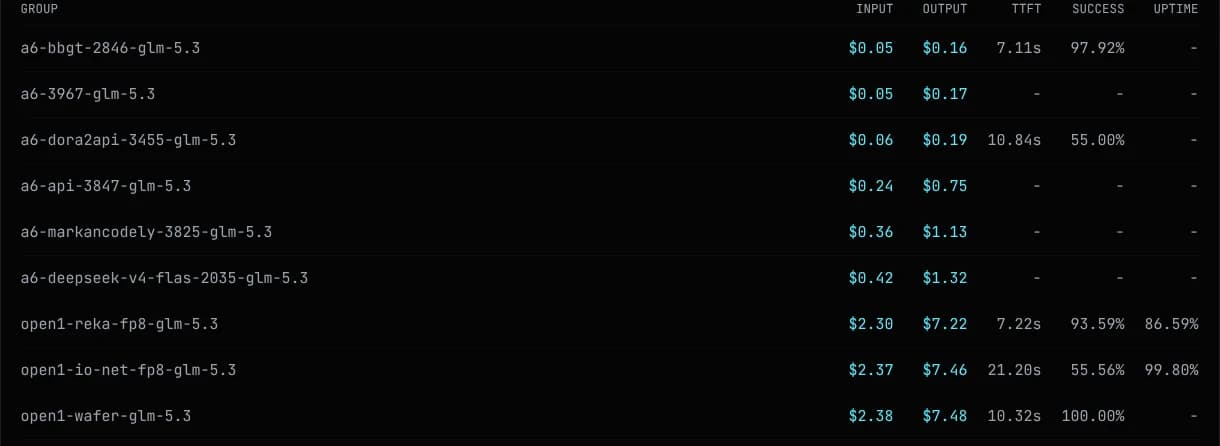
Each model page lists every group with input and output price under Group Pricing. The discount badge in the model list reflects the cheapest group.
Open API Keys, create or edit a key, and open the group selector. Search a model, click it, and tick one or more groups, sorted cheapest first. Untouched models stay on auto.
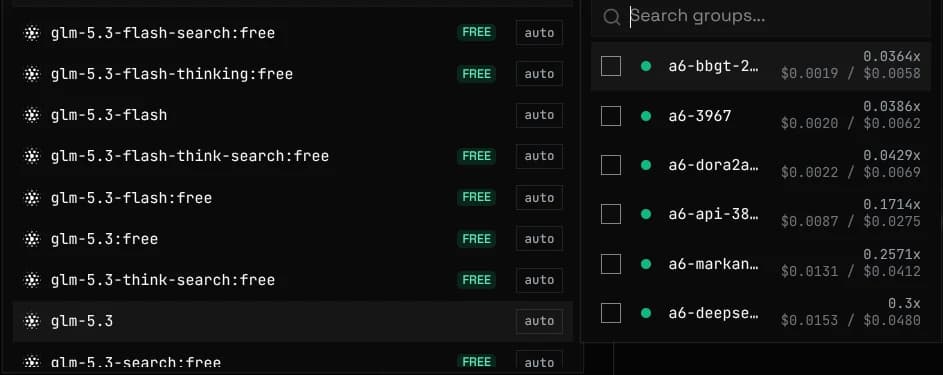
Pinned models sort to the top with a badge showing their group count. Clear all resets the key to auto. The key list shows pinned keys as auto +N.
Instead of ticking lanes by hand, drag the two-handle price range on a model to route only through providers whose rate falls inside it. Because it selects by price rather than by name, new providers that land in the range are picked up automatically.
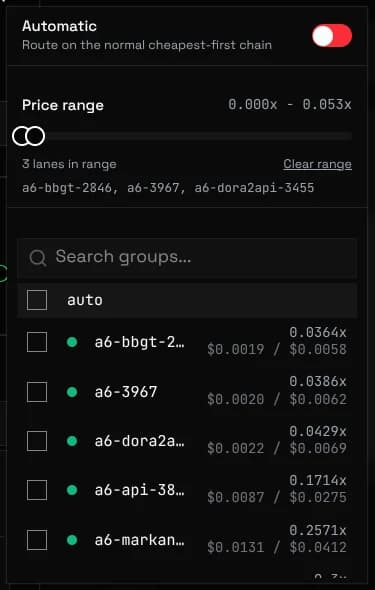
A range and pinned lanes combine as a union: the range covers the cheap providers, and a pin keeps a specific expensive provider as a fallback even though it sits outside the range. Routing still tries the cheapest first, so the fallback is only reached when everything cheaper fails.
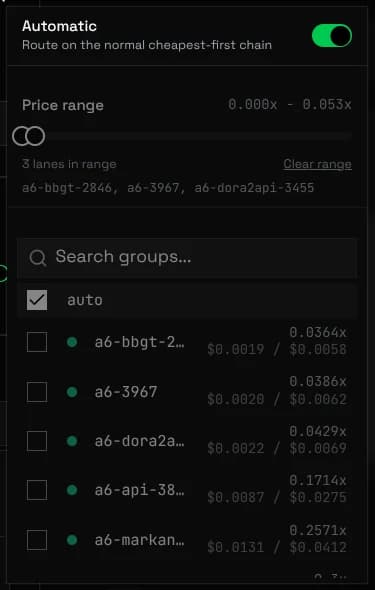
Automatic returns a model to the normal cheapest-first chain. Its range and pins stay saved but inactive, so turning it off restores exactly what was configured before.
A pinned model routes only within its pinned groups, cheapest first, failing over on errors. The group that serves the request sets the rate billed.
Pair a pin with a watch to hear when its groups change price or go down, see Notifications
To pin one request without changing the key, send an X-Group header with the exact group name. It overrides the key's pin and auto routing. Copy names from Group Pricing.
curl https://api.unorouter.com/v1/chat/completions \
  -H "Authorization: Bearer $UNOROUTER_API_KEY" \
  -H "Content-Type: application/json" \
  -H "X-Group: glm-new-pol-glm-5.2" \
  -d '{
    "model": "glm-5.2",
    "messages": [{ "role": "user", "content": "Hello" }]
  }'
The header must name a group the key may use, or the request is rejected. Unpinned models stay on cheapest routing.
If every pinned group is down while other providers still serve the model, requests fail with a specific error rather than a generic busy message:
{
  "error": {
    "message": "Your pinned provider groups for model \"glm-5.2\" are currently unavailable, but the model is still served by other providers. Edit this key's group override, or try again later.",
    "type": "new_api_error",
    "code": "get_channel_failed"
  }
}
Widen or remove the pin, or retry later. The model itself is up.