
Notifications
Alerts for price changes, downtime and new free models.
UnoRouter alerts you when a watched model changes price, goes offline or returns, and when free models are added or removed. Alerts arrive live while the site is open, by push when closed.
Device-scoped. No account needed. Your watch list stays in your browser.
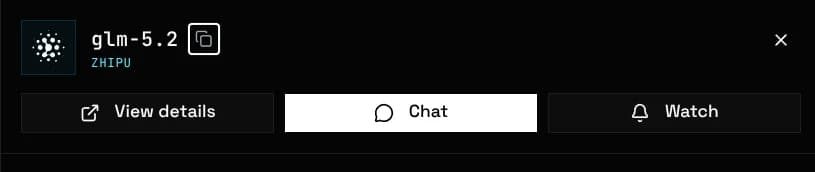
Watch a model from the navbar bell, the model list row menu, or the Watch button on its detail page and quick-view sheet.
The bell's Watched tab accepts any model name as text, including offline or unlisted models, so you are alerted when one returns.
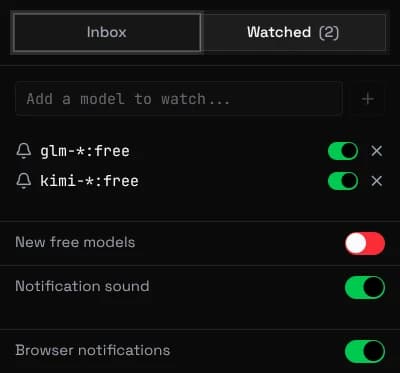
A watch may contain one * wildcard, matching any run of characters. One entry covers a whole family, including models that do not exist yet.
glm-* glm-*:free *-coder:free
glm-*:free covers every free GLM model. *-coder:free matches all free coder models.
With a tab open you get a toast, an optional sound, and an unread counter in the bell and tab title.
The inbox holds this session's alerts and clears on reload. Clicking one opens the model page.
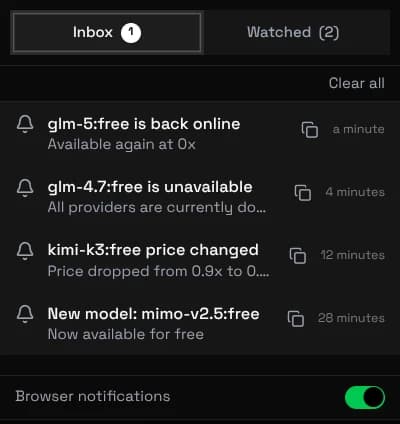
Browser notifications enables system banners when the window is backgrounded, and push when the browser is closed. Each device opts in separately.
Brave desktop needs "Use Google services for push messaging" for closed-browser delivery. On iOS, add the site to your home screen first: Safari only pushes to installed web apps.
A watch covers these events:
| Event | Fires when |
|---|---|
| Model back online | A watched model has at least one live provider again |
| Model unavailable | All providers serving a watched model went down |
| Price change | The cheapest provider group's rate moved up or down |
| New model | A model joins the catalog. The New free models switch covers every :free model. |
| Model removed | A model leaves the catalog entirely |
Price alerts track the cheapest provider group. To lock a model to specific groups instead, see Group Pinning