
Consents for model providers
Why some providers need your consent, how to give or withdraw it, and how API clients handle the consent error.
Some providers behind the models on UnoRouter use your inputs for their own purposes, for example to keep them or to train their own models. Others have not published how they handle inputs. UnoRouter treats them the same way, because such use cannot be ruled out.
If such a provider is based in a country without an adequate level of data protection, your inputs only go there after you have consented once to that provider (Art. 49(1)(a) GDPR). The consent names the provider and its country, and it covers every model this provider serves.
Providers of this kind in countries with adequate protection need no consent. You see a notice before you choose such a model.
Details are in the privacy policy and in section 6 of the terms of use.
Open Consents, linked in the footer and in the account menu. The Providers tab lists every provider that needs a consent by its name and country, what it does with inputs (trains, stores or unknown), how many of its models and channels are active, and whether you have consented.
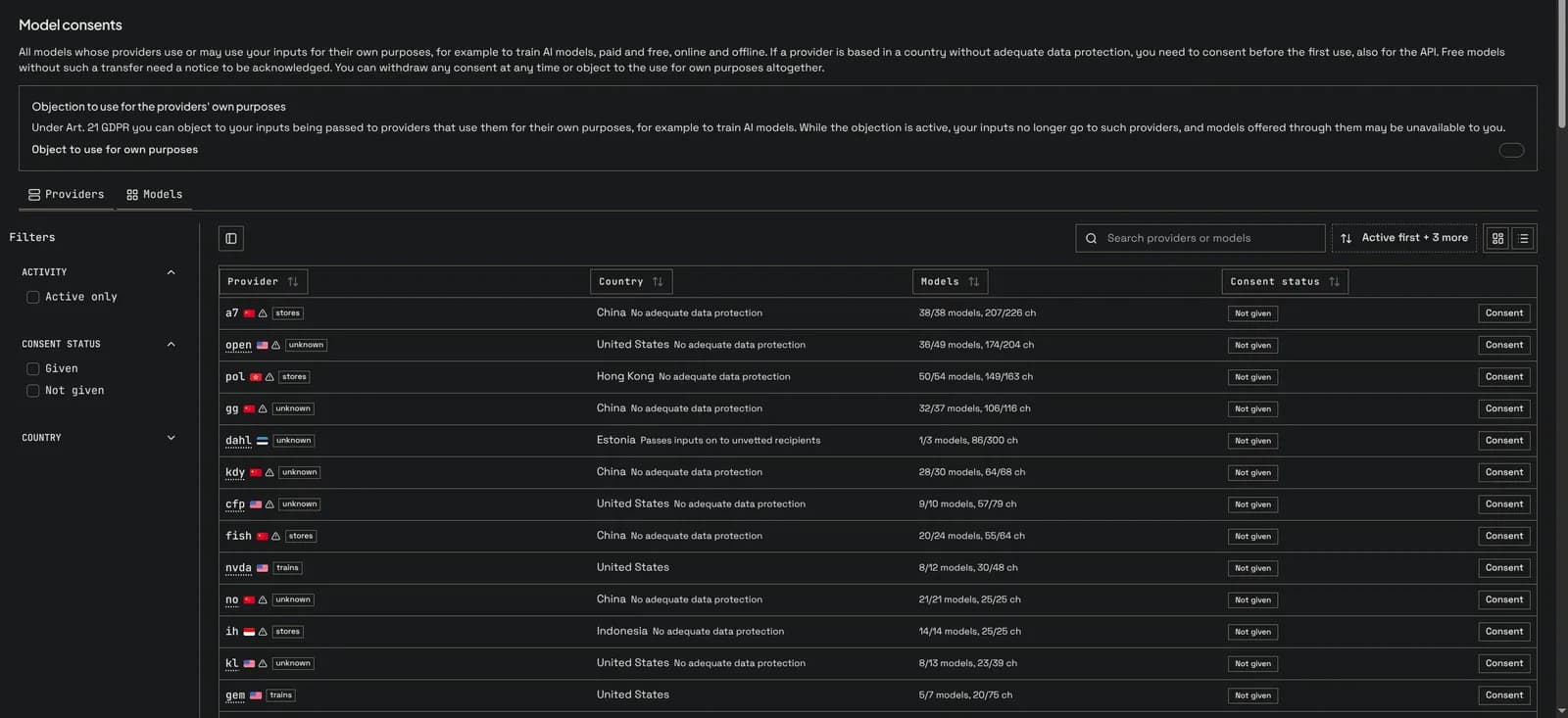
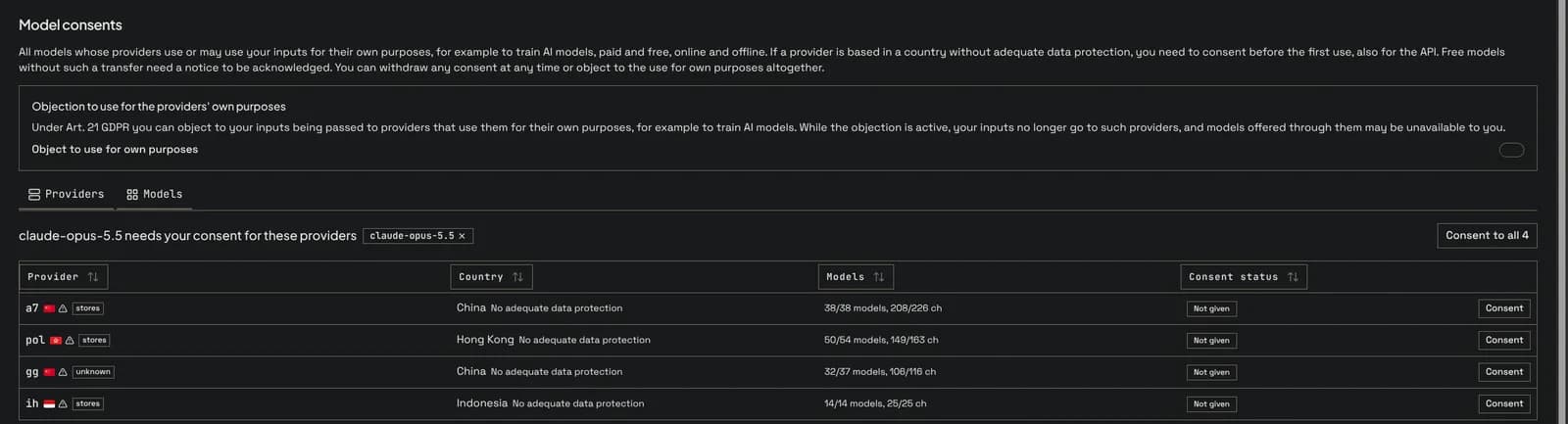
The Models tab lists the models instead. Consent on a model opens that model's view: it shows exactly the providers this model still needs, and Consent to all grants all of them in one step with a single text that names each provider.
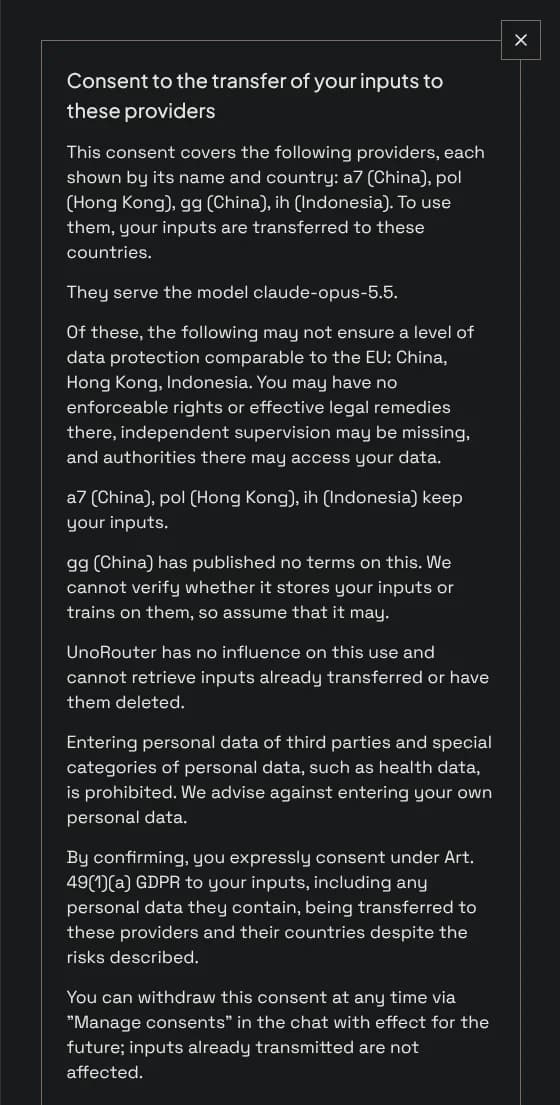
The consent dialog shows the full text before you confirm, and exactly this text is stored with your consent. Withdraw removes the consent for one provider at any time; the models it serves are then blocked for you until you consent again.
Without an account, consents belong to your browser. Guests use the same page or Manage consents in the chat menu.
You can object to your inputs being passed to providers that use them for their own purposes (Art. 21 GDPR). The switch sits at the top of the consents page and in your account settings. While it is on, your requests skip these providers, and models served only by them are unavailable to you.

When a request goes to a model whose providers still need your consent, the API answers 403 with the code consent_required. The message names the missing providers with their countries and links the consent page for this model; param lists their codes, separated by commas.
HTTP/1.1 403 Forbidden

{
  "error": {
    "code": "consent_required",
    "message": "claude-opus-5.5 needs your consent for these providers: a7 (China), ih (Indonesia), pol (Hong Kong). Give it once at https://unorouter.com/consents?model=claude-opus-5.5; it covers every model these providers serve. (request id: ...)",
    "param": "CN-19,ID-01,HK-01",
    "type": "new_api_error"
  }
}
Show the link to the person who owns the key. After the consent the same request goes through. A consent covers every model the provider serves, so one consent often unlocks several models.
const model = "claude-opus-5.5";
const res = await fetch("https://api.unorouter.com/v1/chat/completions", {
  method: "POST",
  headers: {
    Authorization: `Bearer ${process.env.UNOROUTER_API_KEY}`,
    "Content-Type": "application/json",
  },
  body: JSON.stringify({ model, messages: [{ role: "user", content: "Hello" }] }),
});

if (res.status === 403) {
  const body = await res.json();
  if (body.error?.code === "consent_required") {
    // The message names the providers; the consent page for the model:
    const link = `https://unorouter.com/consents?model=${encodeURIComponent(model)}`;
    showToUser(`${body.error.message}\n${link}`);
  }
}| Code | Meaning |
|---|---|
consent_required | A provider of the model needs your consent. Open the link in the message, consent, and repeat the request. |
consent_business | The model needs a consent, which business accounts cannot give. Choose another model. |
own_purpose_objected | You objected to use for own purposes and the model is only served by such providers. Choose another model or withdraw the objection. |
Refusing requests without a consent is switched on in stages and will be announced beforehand. Until then requests are not refused, but you can already give your consents.