
Characters
Create, import, and export character cards.
A character card is a set of text fields that become part of the prompt. All fields support macros.
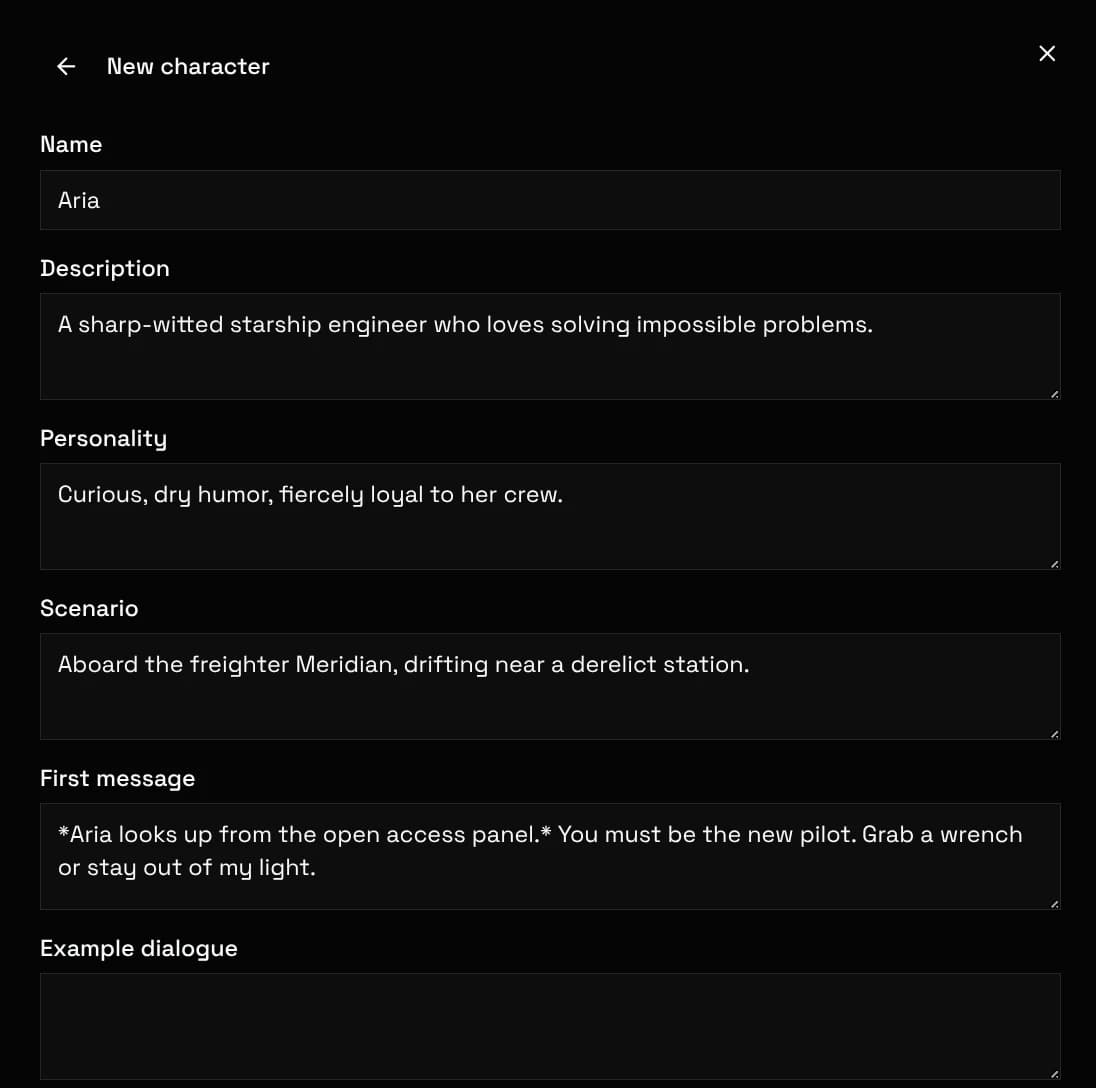
| Field | Purpose |
|---|---|
Name | Display name. Also what the char macro resolves to. |
Description | Who the character is. The largest single block sent to the model. |
Personality | Short trait summary appended to the character block. |
Scenario | The setting the chat starts in. |
First message | The opening message. Alternate greetings, added just below it, become swipeable variants. |
Example messages | Sample dialogue parsed into few-shot turns that teach the character's voice. |
Avatar & background | Images for the chat UI. The avatar can also feed image generation as a reference. |
Two advanced fields override preset prompts for this character only. A system prompt replaces the preset's system slot. Post-history instructions land after the history, where they pull hardest.
Leave both empty unless the card needs special steering. Preset-level prompts cover the normal case.
Each character carries its own trigger scripts, turn triggers, and regex scripts, so a card can ship its own automation. See the Scripting section.
In group chats, always active keeps the character's block in the prompt at all times. Match whole words tightens name-mention detection. Per-character reasoning effort applies where supported.
Import PNG cards (spec v2 and v3), CHARX archives, and plain JSON. Drop the file on the characters page or use the import button. Embedded avatars and greetings come along. Import from link accepts JanitorAI, Chub, RisuRealm, Saucepan, Botbooru, Character Tavern and SpicyChat URLs. When the author hid a character's definition, as most SpicyChat authors do, only the name, greeting and picture come through, and the import says so.
Cards from SillyTavern, RisuAI and hub sites work as-is. Unknown fields are preserved where the spec allows, so a later export does not lose them.
Missing a site? Ask on Discord with a link to one public character or lorebook there. That is what is needed to check whether it can be fetched.
Export any character in four formats:
| Format | Use it for |
|---|---|
png | The universal card format. Works in SillyTavern, RisuAI, and most frontends. |
charx | The v3 archive format. Keeps multiple assets alongside the card data. |
voxta | For the Voxta voice roleplay app. |
json | Raw card data for editing or tooling. |