
Custom Providers
Chat through your own endpoint and key.
Add any OpenAI-compatible endpoint with a name, base URL, and API key. The provider and its key are stored only in your local database.
Custom models appear in the model picker alongside catalog models. A conversation can switch between them freely.
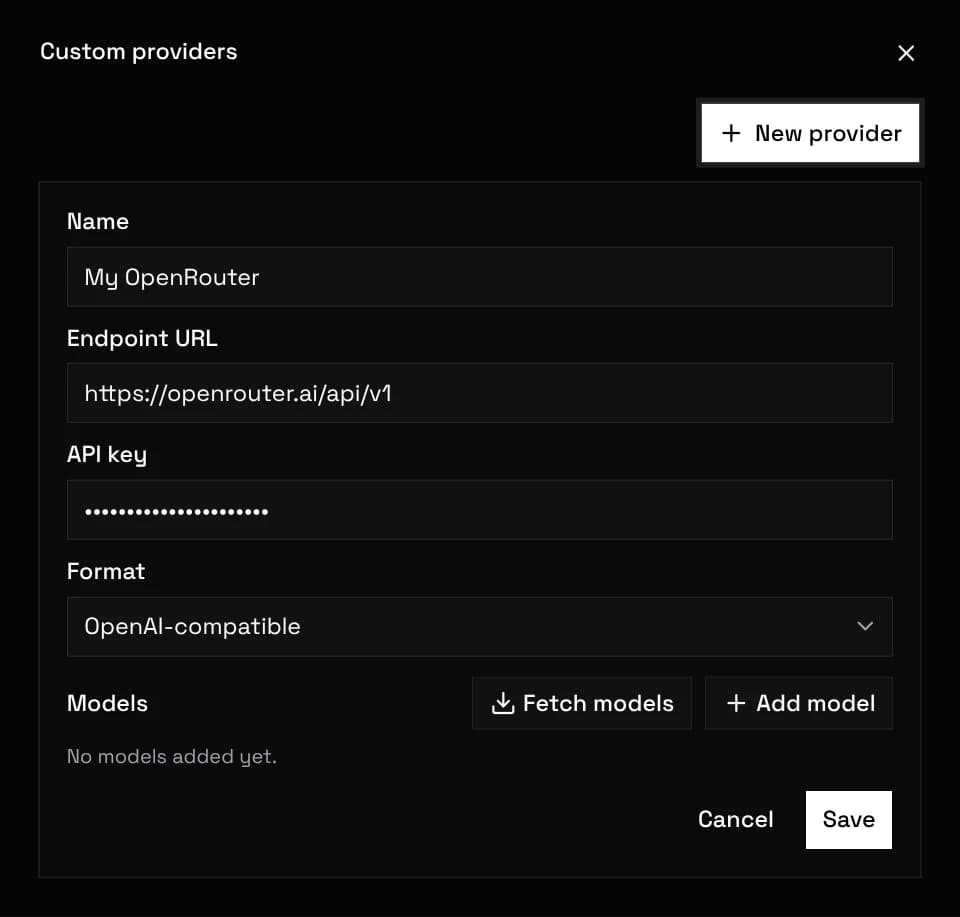
Load the provider's model list, search it and tick the models you want; only ticked models appear in the chat picker. A model id the list does not have can be typed into the search and added. Each model is typed text or image. Image-typed models feed the image generator, not the chat dropdown.
Model entries carry their own settings, including the tokenizer used for budgeting.
Token counting drives history trimming and lorebook budgets, so the right tokenizer matters for long chats. Every custom model picks from 13 presets:
auto cl100k o200k claude glm5 glm4 deepseek deepseek-v4 llama3 gemma qwen mistral cohere
Or point at any HuggingFace tokenizer by slug or URL:
hf:openai-community/gpt2
hf:https://huggingface.co/Qwen/Qwen2.5-7B/resolve/main/tokenizer.json
HuggingFace tokenizers download once and cache locally. Counting never blocks a send: if a tokenizer fails to load, an approximate fallback counts instead.
Catalog models can route through a billing group that seeds new chats. Custom-provider models bypass routing, so the group has no effect on them.
Requests to custom providers go straight from your browser to your endpoint. UnoRouter servers never see the request, the reply, or your provider key.