
Theme customizer
Colours, fonts and a wallpaper, for the whole app or just for chat.
On a computer, click the sun or moon in the header and pick Customize theme. On a phone, open the three dot menu, then Appearance, then Customize theme.
It opens as a side panel. Every change applies straight away, undo and redo sit in its top bar, and Reset all puts the current tab back to the defaults.
A theme has one base plus two optional overrides. The tabs at the top pick which one you are editing, and the sections below them are the same in all three.
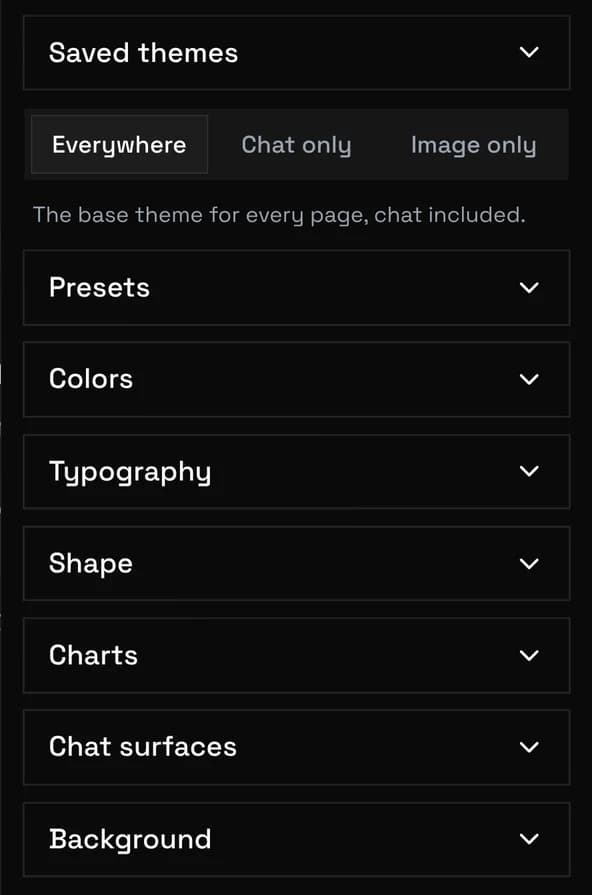
| Tab | What it edits |
|---|---|
| Everywhere | The base theme for every page, chat included. Start here. |
| Chat only | Only the chat page. Anything you leave blank follows Everywhere. |
| Image only | The same for the image page. |
You do not need the Chat only tab to theme your chats. Use it when chat should differ from the rest, for example a darker wallpaper for reading.
Opacity belongs to the colour. Tap any colour and an Opacity slider appears under it, and that is what lets a wallpaper show through a panel. Panel opacity in the Background section is only a bulk fallback for surfaces you have not coloured yourself, so it stops doing anything once a surface has its own colour.
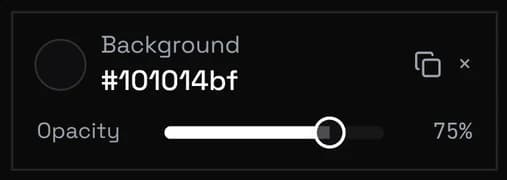
When a panel looks wrong and you cannot tell which control paints it:
| Part of the app | Section | Note |
|---|---|---|
| Background | Colors | |
| Sidebar | Colors | |
| Header bar | Background | |
| Panels and sheets | Background | The drawers that list presets, personas and characters. |
| Popover | Colors | Dropdown menus. They never go below 85 percent, so they stay readable. |
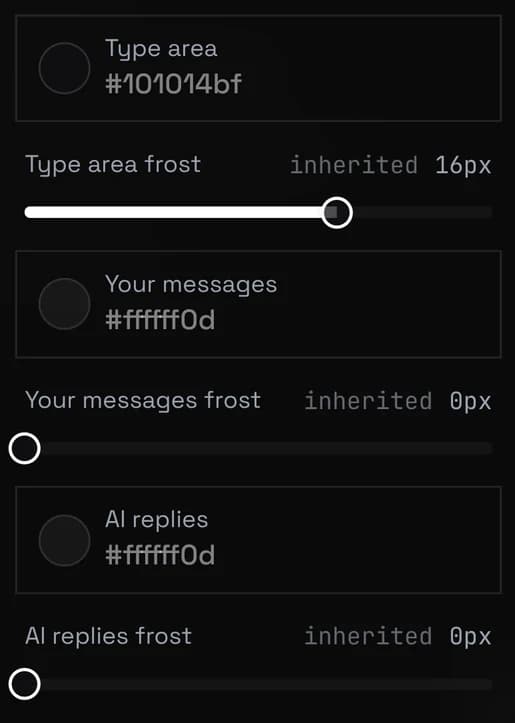
| Type area | Chat surfaces | |
| Your messages, AI replies | Chat surfaces | Bubbles get no frost: blurring hundreds of them stutters on phones. |
| The theme panel itself | Ignores your colours on purpose, so the controls stay visible whatever you set. |
Upload an image in the Background section. Image fit, Opacity and Image blur act on the picture, while Panel opacity and Panel blur act on what sits in front of it.
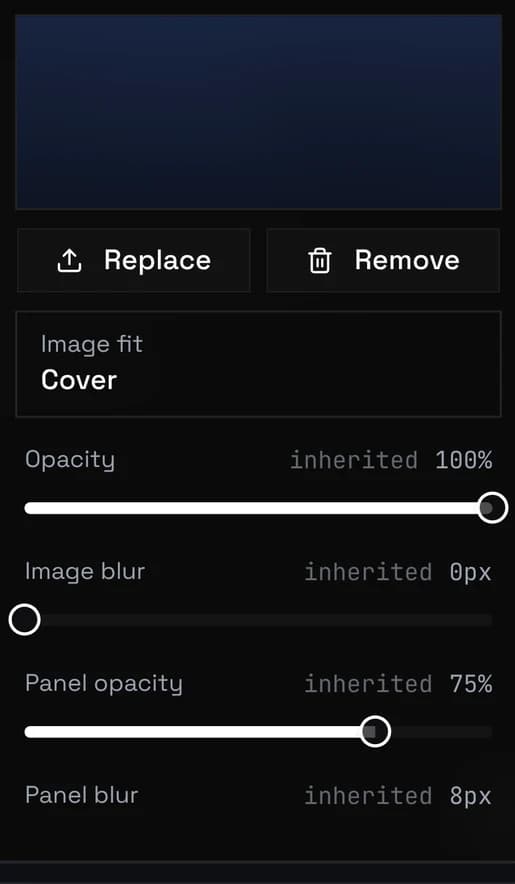
Each tab can hold its own image, and a tab without one shows the Everywhere image. Images stay in this browser and are scaled down on upload. They travel in an exported theme file, so another device needs that file.
Saved themes at the top of the panel keeps snapshots. Save current as stores Everywhere, Chat only and Image only together with their wallpapers, and Apply brings one back.
Export writes every saved theme plus the current one to a file. Import reads such a file into the list without touching what you are using, and offers Apply right away.
A theme file from an older version still works: it lands in Everywhere with its wallpaper and its opacities, and the other two tabs stay empty. Use Reset all first so nothing stacks up. Themes are not part of a database backup, see Backup & Restore
| Symptom | Fix |
|---|---|
| Menus or the preset drawer are see through | Raise the Opacity on Popover under Colors, and on Panels and sheets under Background. |
| Panel opacity does nothing | That surface already has its own colour. Open the colour and use the Opacity slider under it. |
| Chat looks different from the rest of the app | The Chat only tab holds an override. Open that tab and use Reset all on it. |
| The theme vanished after clearing site data | Themes live in this browser. Import your exported file, or apply a saved theme. |