
Lorebooks
World knowledge injected when it is relevant.
A lorebook is entries plus scan settings. Attach any number to a conversation. All attached books scan together as one pool.
Import from a file or a link: JanitorAI scripts, Chub lorebooks, RisuRealm characters, Saucepan companions and lorebooks, Botbooru lorebooks, SpicyChat public lorebooks. On JanitorAI, Chub and SpicyChat a private book cannot be downloaded by anyone. If a card lists three and one arrives, the rest were private. The import names them rather than importing fewer silently.
| Setting | Range | Effect |
|---|---|---|
scanDepth | 0-100 | How many recent messages are scanned for keywords. Your messages and the character's both count. |
tokenBudget | 100-1000000 | Cap on total tokens of activated entries. When books disagree, the highest budget wins. |
recursiveScanning | on / off | Activated entry content is scanned again, letting lore activate more lore (up to 3 passes). |
An entry has keys (comma-separated trigger words), optional secondary keys, and content. When a key appears in the scanned history, the entry activates and injects its content.
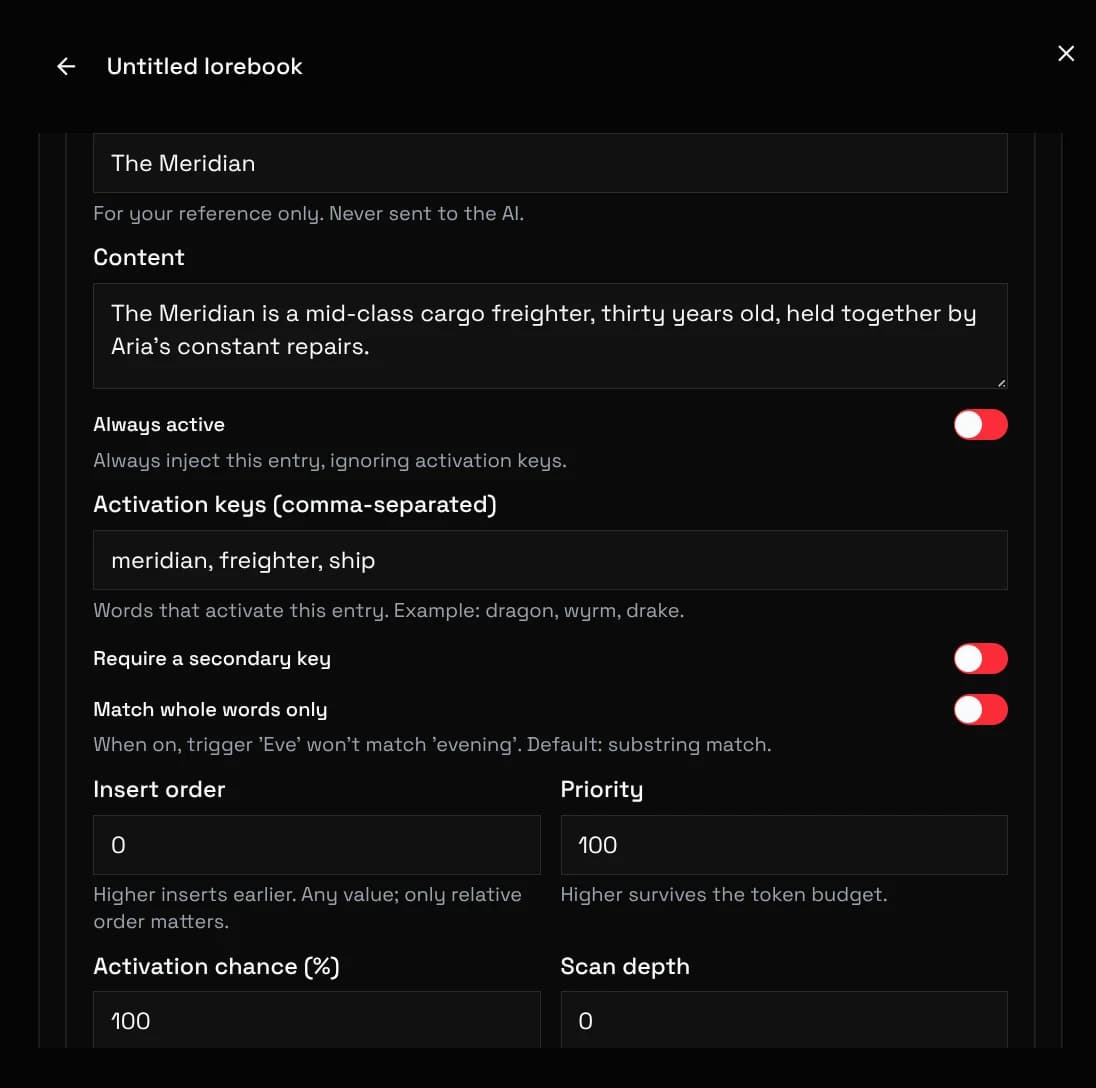
Selective mode requires a primary AND a secondary key. Constant entries always inject. Disabled entries never fire. Match whole words prevents fire from matching campfire.
Each entry has a display name (comment) for organizing the editor list. It is never sent to the model and survives import and export.
Two numbers control an entry. Priority decides who survives the token budget: higher priority is kept first when space runs out.
Order (insertion order) decides placement among survivors: higher order appears earlier in the prompt. Ties fall back to priority, then entry id.
Activated entries render into a single lorebook slot in the prompt template, each as its own message with its role: system, user, or assistant.
There is no per-entry position. Move the lorebook slot in the prompt template editor to control where lore lands.
Lines starting with @@ at the top of entry content change that entry's behavior:
@@probability 50
@@scan_depth 8
@@role assistant
@@activate_only_after 4
@@keep| Decorator | Effect |
|---|---|
@@probability | Percent chance to inject when activated. The roll is stable within a turn. |
@@scan_depth | Override the book's scan depth for this entry. |
@@order / @@priority | Override placement order or budget priority for this entry. |
@@role | Override the injection role for this entry. |
@@activate_only_after / @@activate_only_every | Fire only after N messages, or only every N messages. |
@@keep / @@dont_activate_after_match | Keep an entry active after its first match, or never activate again after a match. |
@@is_greeting | Only active while the chat is still on the greeting message. |
Token counting uses the active model's tokenizer. When entries exceed the budget, the lowest-priority entries are dropped first.
If lore keeps getting cut, raise the budget, narrow the priority spread, or shorten entries. The request log shows which entries made it in.